

Product & service experience
How to Create an Account on the Thien Thanh Agarwood Website in 3 Simple Steps
How to Create an Account on the Thien Thanh Agarwood Website
Summary: In just 3 simple steps, you can create an account on the Thien Thanh Agarwood website for a smoother shopping experience and easier account access whenever needed.
Creating an account on the website helps you save your information more conveniently for future purchases. Below is a simple step-by-step guide to help you register easily.
Step 1: Visit the website and choose “Register”
Visit https://thienthanhagarwood.com/, click the “User” icon in the top-right corner, then select “Register”.

Step 2: Fill in your account and address information
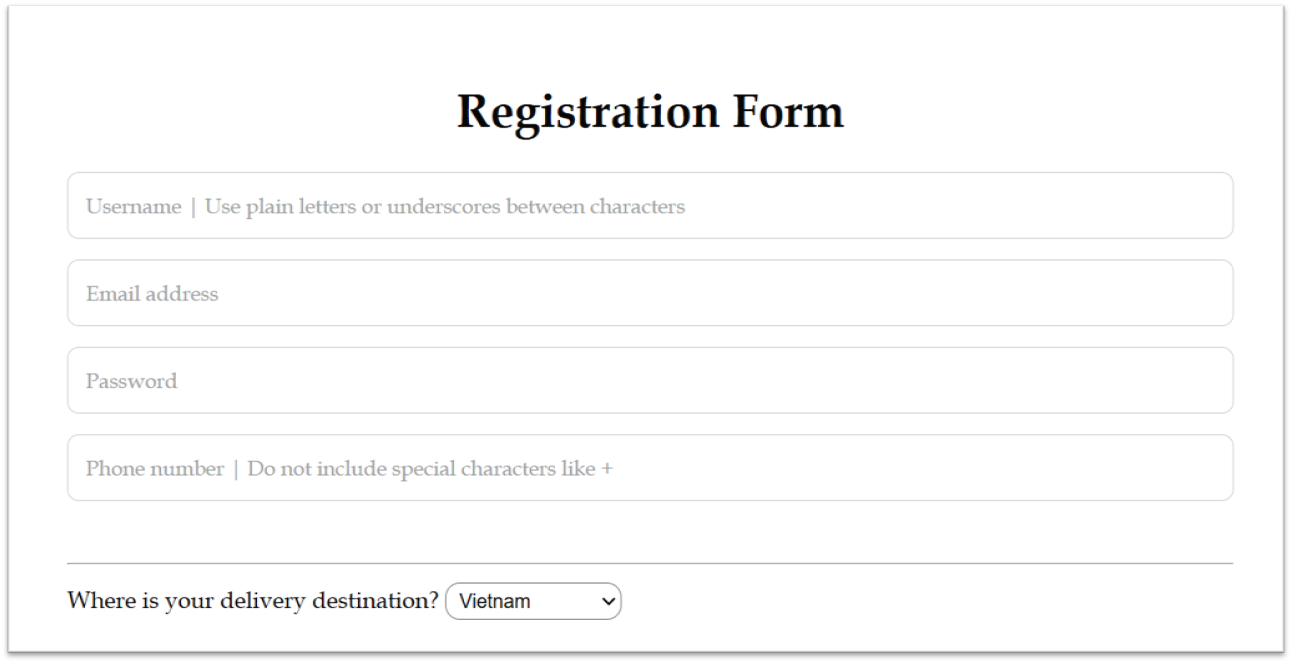
On the registration page, simply complete the required information so the system can create your account.
- Username: It should be written without accents or spaces. You may use underscores if needed.
- Email address: Use the email address you want to receive website-related information with.
- Password: The website does not enforce strict password rules, but it is recommended to choose a strong password with uppercase letters and special characters such as @, !, #, $, %.
- Phone number: Please enter your phone number in a normal format without special characters such as +.
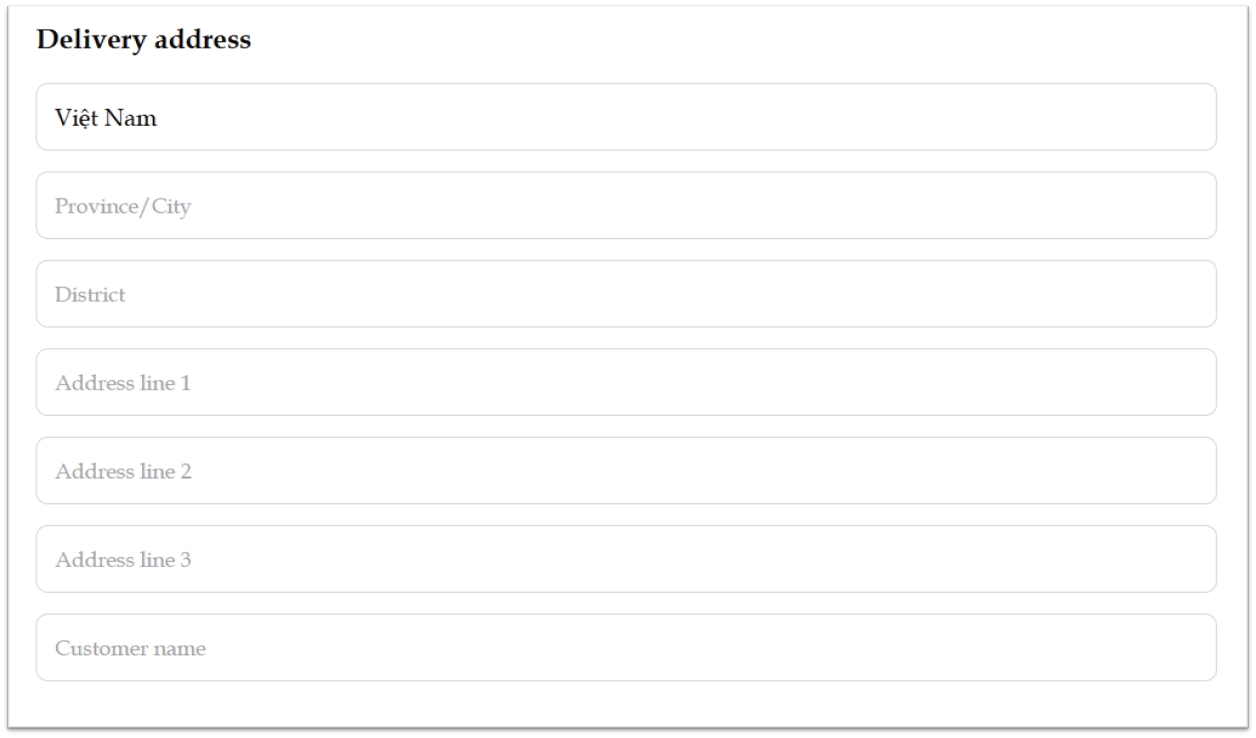
- Delivery region: Choose “Vietnam” or “International” depending on your shipping location.
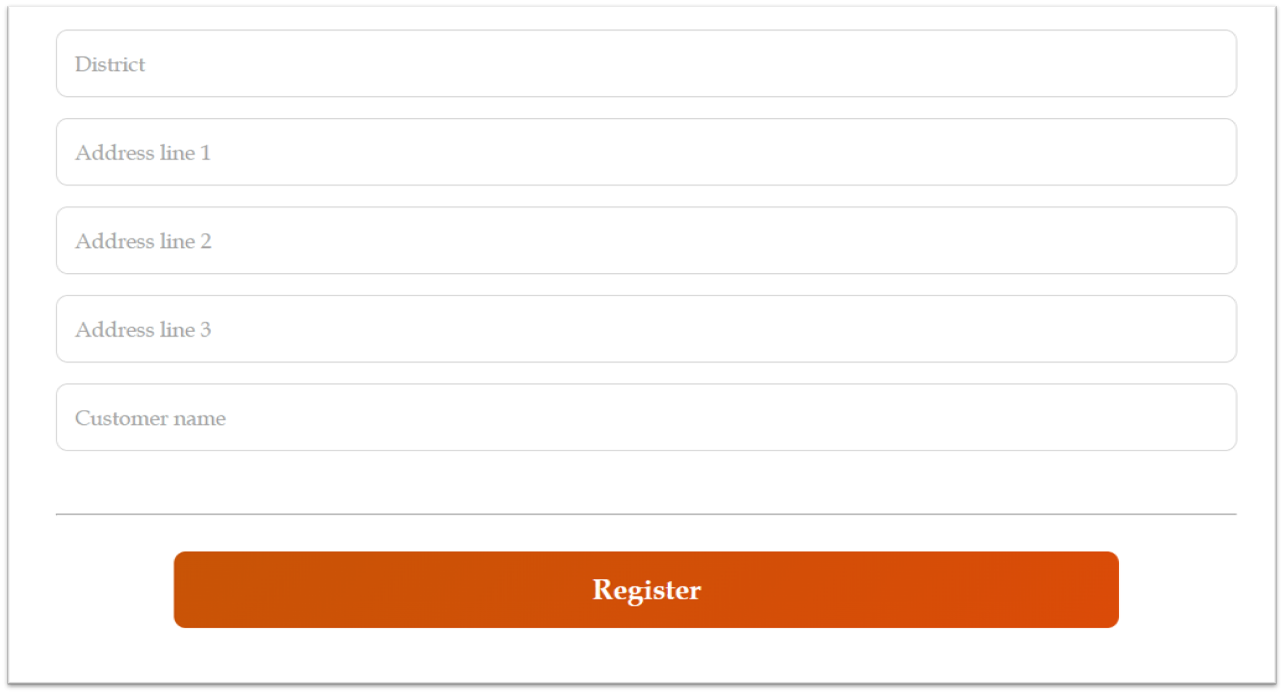
- Address details: Include Province/City, District, Address line 1, Address line 2, Address line 3 (if any), and the customer’s full name.
- Customer name: It is best to enter your full name for smoother delivery handling.
Step 3: Complete registration and check your account
After filling in all the required information, click “Register”. Once registration is completed, the system will redirect you back to the homepage. You can then click the “User” icon again and open “My Account” to review your account information.

Your account is now ready, and you can start shopping on the Thien Thanh Agarwood website more conveniently.