Create an account on the website in 3 simple steps:
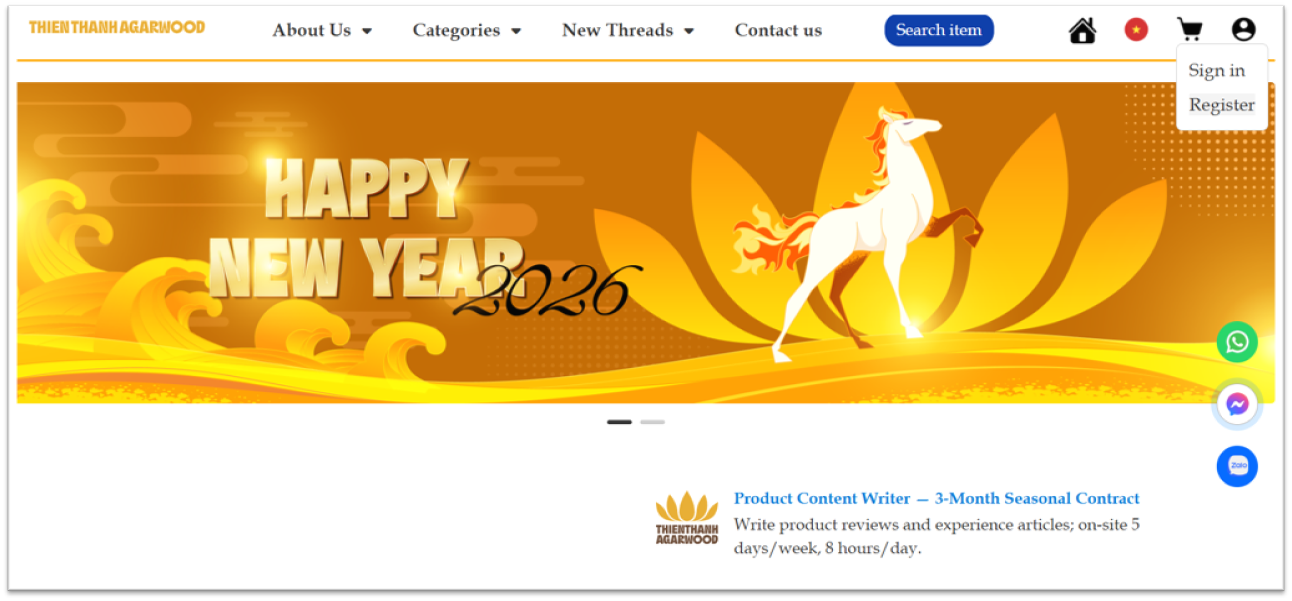
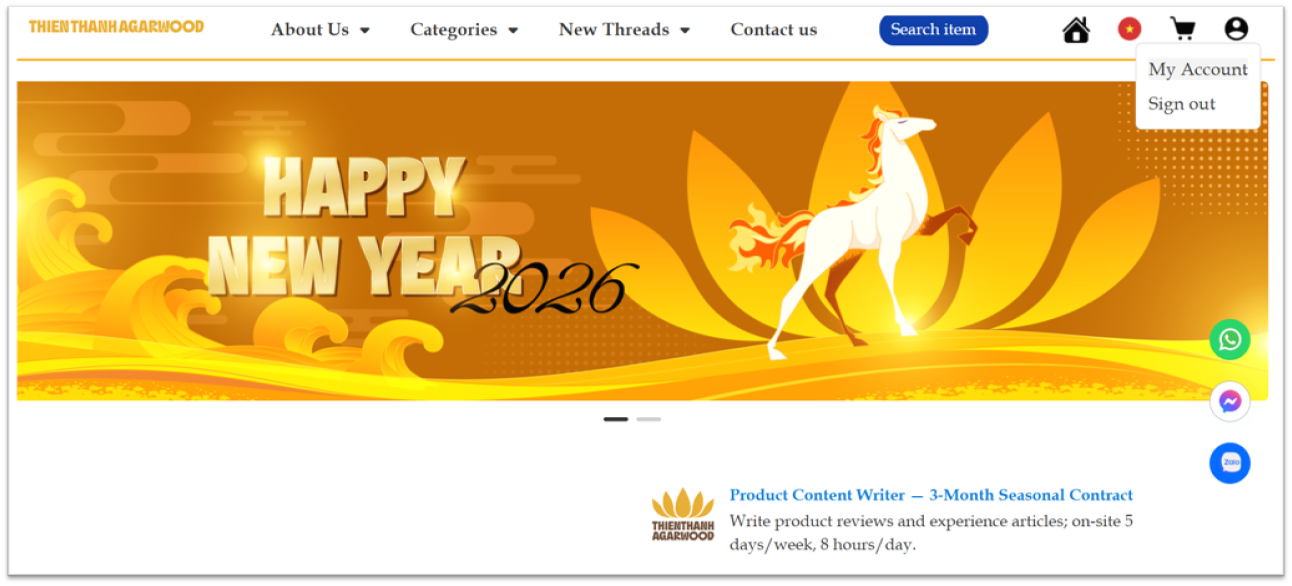
Step 1: Visit the website https://tramhuongthienthanh.com/, click the “User” icon in the top-right corner, then select “Register”.
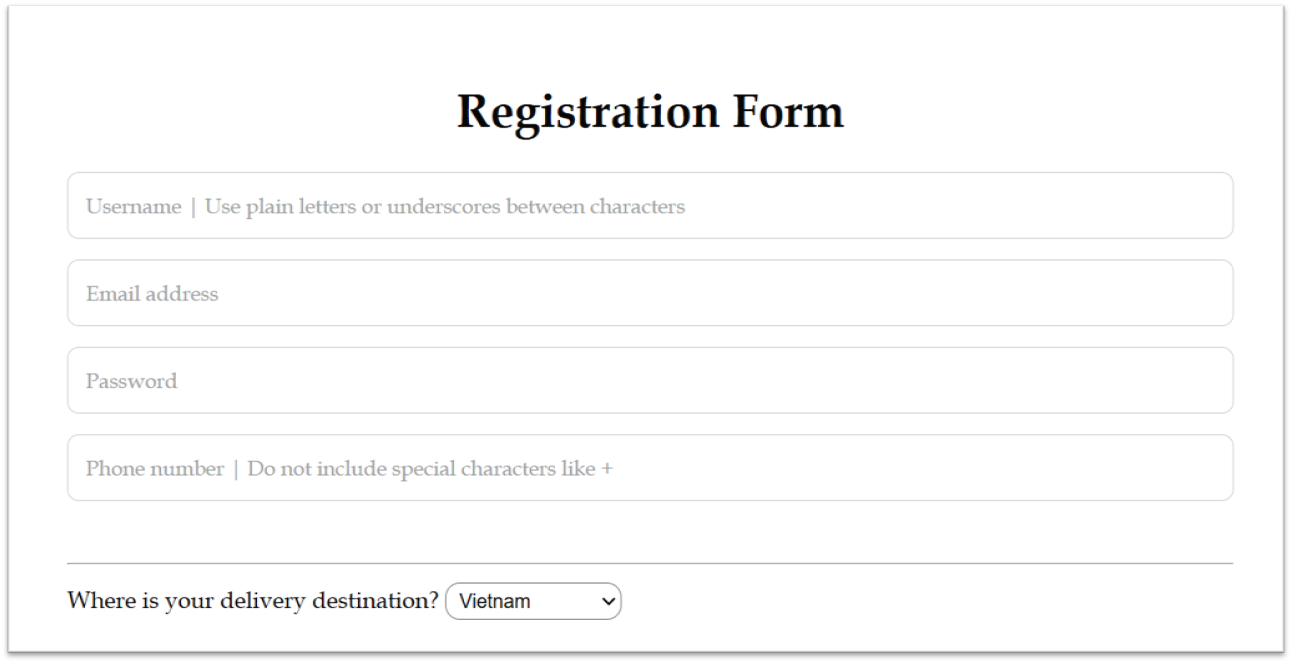
Step 2: Provide account information, including:
- Username: Note that the username must be written without accents and without spaces, or you can use underscores between characters.
- Email address: Provide the email you will use to receive information from the website.
- Password: The website does not enforce specific password rules. However, it’s recommended to choose a strong password that includes uppercase letters and special characters such as @, !, #, $, %.
- Phone number: Note that the phone number should not include special characters such as +.
- Delivery destination: There are 2 options: “Vietnam” and “International,” depending on your desired delivery region.
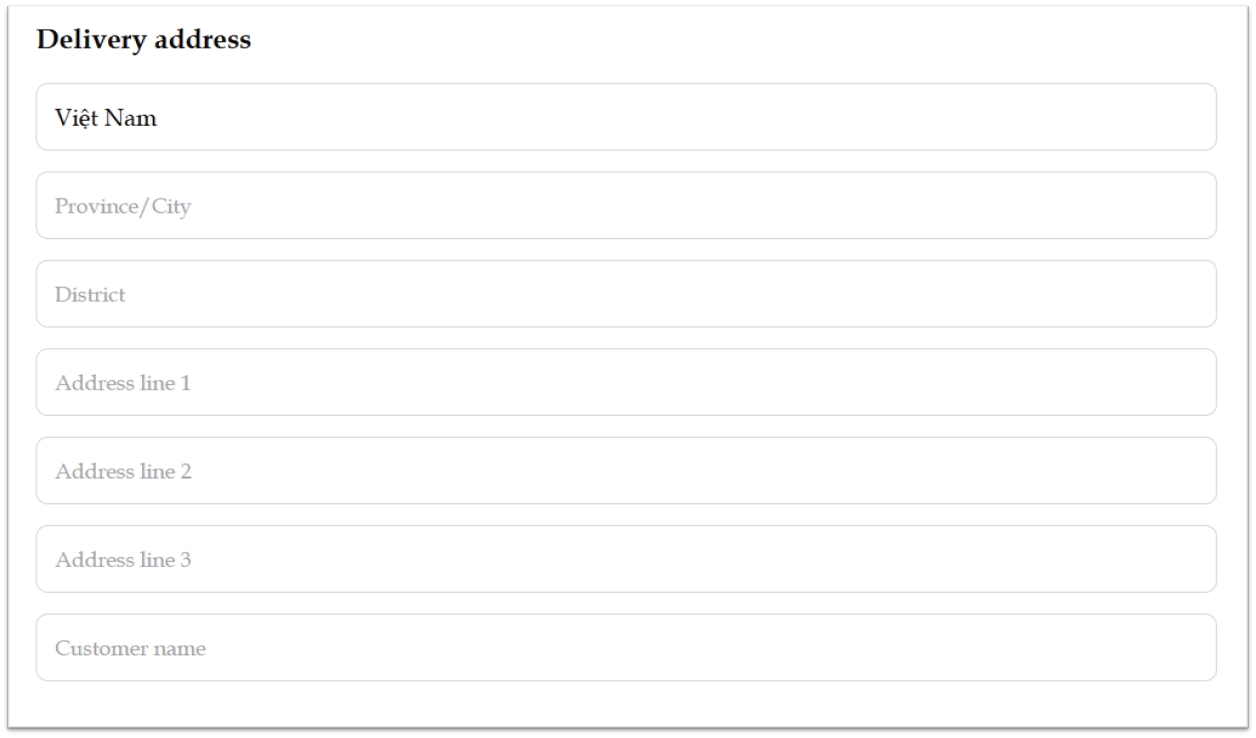
- Delivery address:
- Province/City
- District
- Address line 1 (Required)
- Address line 2 (If any)
- Address line 3 (If any)
- Customer name: Your full name
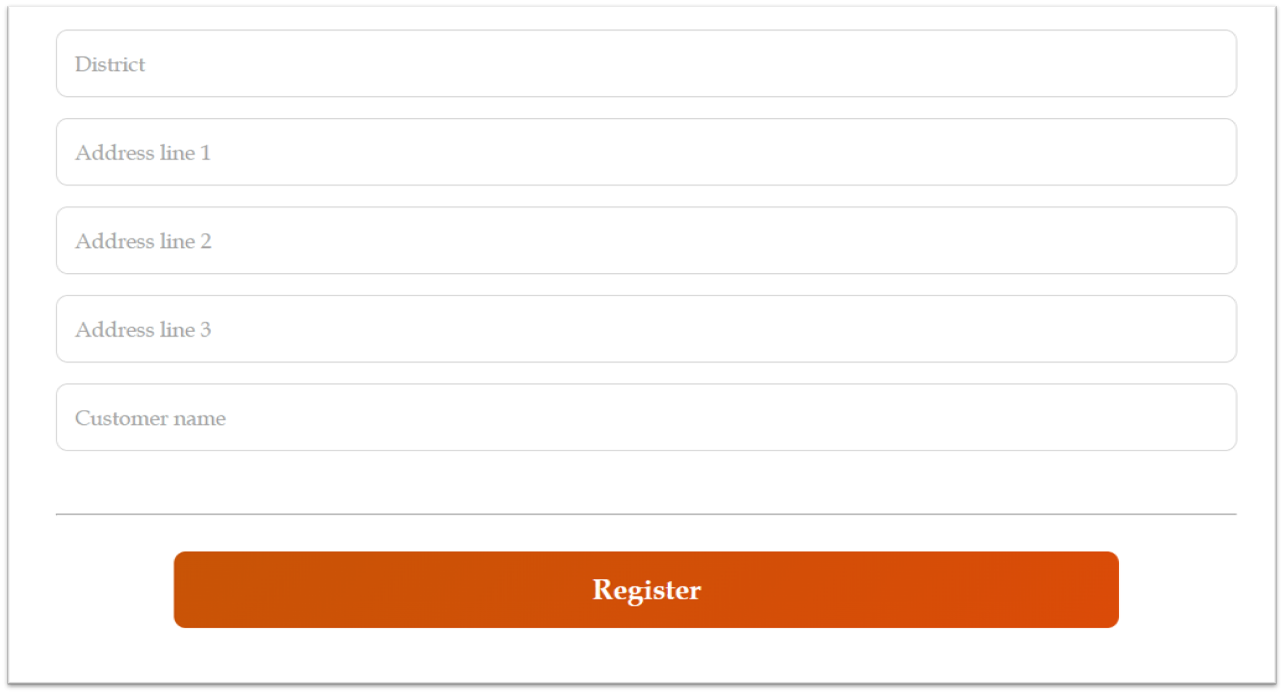
Step 3: Select “Register”. Once all the required information is provided, you will be redirected to the homepage. That’s it! You can review your account information by clicking the “User” icon again and then selecting “My Account”.
Now, you have an account on the website and can start to shop!




